fx991 App
Download & Install
Get the fx991 App on your Android phone — no Play Store needed. The APK is free, only 28 MB, and runs on Android 6.0 and above. Deposit with bKash or Nagad, play fishing games, slots and live tables, and withdraw in about 25 minutes — all from one screen.
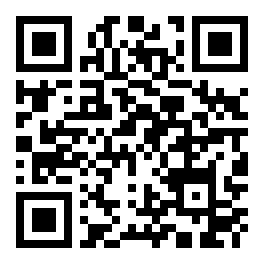
Scan to download
What Version Are You Getting?
Before you tap download, here are the exact specs for the current fx991 App release. All numbers come from the official build — nothing padded.
Why no Play Store? Google restricts real-money gaming apps in many markets. Downloading directly from fx991 is the standard method for Bangladesh players. The file is served over HTTPS and checked before every release.
Current build — v3.0.14, updated November 2026.
Installing the fx991 APK on Android
Five steps from tapping the download button to logging in. The process takes about two minutes on a standard mobile connection in Dhaka or Chittagong.
-
1
Allow Installation from Unknown Sources
Go to Settings → Security → Install Unknown Apps (exact path depends on your phone model — Samsung users find it under "Biometrics and Security"). Tap your browser name (Chrome or the app you use to download) and toggle Allow from this source to on. This setting only affects apps from that one browser, not your whole phone.
-
2
Download the APK File
Open this page in Chrome on your phone and tap the orange Download APK button above. Your browser will save
fx991.apk(28 MB) to your Downloads folder. On a typical Grameenphone or Robi connection it takes under 30 seconds. Do not rename or move the file before installing. -
3
Open the Downloaded File
Tap the download notification in your status bar, or open your Files app and navigate to Downloads → fx991.apk. Android will show a security prompt — tap Install. If you see "Blocked by Play Protect", tap More details → Install anyway. Play Protect flags all sideloaded APKs by default; it is not specific to fx991.
-
4
Wait for Installation to Finish
The installer takes 5–10 seconds. When you see "App installed", tap Open or find the fx991 icon in your app drawer. The app needs about 45 MB of free storage to run smoothly (the APK itself is 28 MB; the rest is data unpacked on first launch). If your phone is low on space, free up storage before this step.
-
5
Log In or Register Your Account
Open the fx991 App and tap Log In if you already have an account, or tap Register to create one — it takes under two minutes with just a phone number. First-time players qualify for the welcome bonus automatically on their first deposit. If you need a login link, visit fx991 Login from your browser.
iPhone / iOS Users: Add to Home Screen
There is no iOS App Store listing for fx991. iPhone users can pin the website as a full-screen shortcut:
- Open https://fx991.lat in Safari (must be Safari, not Chrome).
- Tap the Share icon (box with an upward arrow) at the bottom of the screen.
- Scroll down and tap "Add to Home Screen".
- Tap Add in the top-right corner. The fx991 icon appears on your home screen and opens like a native app — full screen, no browser bar.
Is the fx991 APK Safe to Install?
Here is what the app actually asks for and what it does not ask for. Each card covers one specific area so you know exactly what you are agreeing to.
HTTPS Download & File Integrity
The APK file is served over HTTPS from fx991.lat. The download link points to /download/fx991.apk — a direct file, not a redirect chain. The build is checked before each release; version number and file size are shown on this page so you can confirm what you downloaded matches.
What Permissions the App Requests
The fx991 App requests two permissions: Internet access (required to load games and process payments) and Read/Write Storage (only during the install step — not ongoing). It does not request access to your camera, microphone, contacts, SMS or location. You can verify this in Settings → Apps → fx991 → Permissions after installing.
Payment & Account Security
All bKash and Nagad transactions go through the same encrypted gateway used on the desktop site. The app does not store your mobile banking PIN. Account login uses a session token that expires when you close the app. Enable two-step verification in Account Settings for an extra layer of protection — especially recommended if you share your phone.
Keeping the App Up to Date
When a new version is released, the app will show an in-app banner prompting you to download the latest APK. Alternatively, revisit this page — the version number and "Last Updated" date in the table above always reflect the current build. Do not download the fx991 APK from third-party APK mirror sites; only use this page to stay on the official build.
Everything Inside the fx991 App
Six areas you will use from day one. Each runs at the same frame rate as the browser version — the app just removes the address bar and adds push notifications.


Fishing Arcade
Pirate Fishing (Red Tiger) and 3 Gods Fishing (Habanero) are both playable in the app. Tap to fire, aim at high-value fish, and watch the cannon animation in real time. Minimum bet is ৳2 — good for short sessions between matches. The touch controls feel sharper on mobile than a desktop mouse.
Slots Lobby
Filter by provider — JILI, CQ9, Habanero, JDB, Playtech, Red Tiger — or browse the full catalogue. Fortune Bingo, Ocean Lord and Piggy Gold are pinned to the top of the lobby. Spin speeds are identical to the web version; no features are stripped for mobile. RTP percentages are shown on each game tile before you open it.
Live Casino Tables
Single Deck Blackjack (JDB) and Double Exposure Blackjack (Red Tiger) stream directly inside the app via the same video feed as the browser. Sexy Gaming live tables are also available. The video player adapts to your connection speed automatically. Portrait mode works; landscape gives a wider table view if your phone supports rotation lock.
Sports & Crash
Monster Triple (CQ9) and other sports-themed games sit in a dedicated Sports tab. Bet on match outcomes or play fast-round crash-style titles where you cash out before the multiplier stops. The app pushes live score updates as notifications if you allow them in your phone settings — useful during IPL and BPL seasons.
Deposits & Withdrawals
Add funds via bKash, Nagad, Rocket or Bank Transfer without leaving the app. The minimum deposit is ৳300 and money arrives in your game wallet in about 4 minutes. Withdrawal requests (minimum ৳500, maximum ৳115,000 per day) are processed in around 25 minutes. KYC documents can be uploaded as photos directly from your camera roll. See the full Deposit Guide for step details.
24/7 Live Chat Support
The support button is always visible in the app menu. Tap it to open a live chat window with the support team — available around the clock, every day of the year. Response times during Bangladesh business hours are typically under two minutes. You can also use live chat to query a pending withdrawal or report a login issue without switching to a browser.
App vs Browser: What Actually Differs?
Most features work in both. The table below highlights where the app has an edge and where the browser matches it. Neither version is locked to lower odds or reduced bonuses.
Data usage figures are approximate and vary by game type. Live casino video uses more data than slots.
Get the fx991 App Now
Free to download. Works on Android 6.0 and above. No registration needed just to install — create your account inside the app after installation.
Not registered yet? Create a free account to claim your welcome bonus after installing. Already a member? Log in here.
Point camera to scan
Installation Not Working? Fix It Here
These five problems account for almost every support ticket about the fx991 App install. Check the table before contacting live chat — most issues resolve in under a minute.
Questions Players Ask Before Installing
Seven common questions with specific answers — no copy-paste filler.
1. Is the fx991 APK safe, and will it harm my phone?
2. My phone says "Blocked by Play Protect." Should I proceed?
3. How do I update the fx991 App to the latest version?
4. Does the app work on iPhone or iPad?
5. Can I use bKash to deposit inside the app?
6. Will installing the app use a lot of mobile data?
7. I already have an account on the website. Do I need a new one for the app?
Ready to play on the fx991 App?
Download the APK, log in or create a free account, and explore the full game lobby including fishing, slots and live casino.